About the Technology Used
for This Project
The Web pages at this site were created using a Macintosh, a
text editor, and a Casio digital camera.
Macintosh
My Macintosh is a Quadra 840av circa. January 1994 (thanks
Luann!). I added some more memory (32MB) and an Apple
Multiple Scan 20" monitor. The great thing about creating
web pages is that I could have used my MacPlus (1985) or
Lisa (1983) and done pretty much the same thing. Well,
maybe the graphics would be a bit harder...
BBEdit
I use BBEdit, a text editor, on the Macintosh because it has
some nice text handling features and I still haven't found a
web page creation tool I like and trust. There's a lot of
discussion going on about web page authoring tools. I'm
reminded of the programmers I worked with at Sega. There
were the C programmers who wanted tools and libraries and a
very rich development eenvironment Then there were the
assembly programmers who just wanted to know how the
hardware worked so they could optimize their code by writing
right down to the machine itself. Both camps had good
arguments for working the way they did. Right now,
I'm still more concerned with knowing how my code works than
taking advantage of the speed or ease of PageMill/HomePage or any of the
authoring packages out there. But I'm not opposed to
getting tools to make my life easier, I just haven't found
real good ones yet.
Casio QV-10 Digital Camera
I got a Casio QV-10 about a month ago (thanks Luann!) and I love it.
It's small, simple, lightwieght, flexible and fun. It holds
96 images in RAM and hooks right up to the serial port of my
Macintosh. I can download the images and store them on the
hard disk.
Adobe PhotoShop
I'm not a graphic artist and I've never been real interested
in Photoshop. But the Casio Camera came with a Photoshop
Plug in that lets me control the camera right from within
Photoshop. I can downlod the images, use all the Photoshop
goodies to manipulate the picture, then save it off as a gif
or jpeg file. I've been using jpeg because the files are
more compact. I reduce the size of the images to make them
download faster, generally 200 x 150 pixels. This makes for
graphics of 18-22K, not too big a download bite. The panoramic
view is strictly low tech, I arranged five or six pictures
across my monitor, took a screen shot and imported it into
Photoshop.
Sample 200 x 100 pixel picture
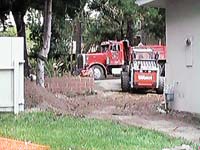 This is a 200 x 100 pixel jpeg image, about 22k.

Here's a panoramic. I used the html width attribute to
force the browser to display this as a 500 pixel wide image.
(I know, I could have resized it in Photoshop, I learned
that after I did this image)
If you haven't come across this feature yet, Netscape lets
you downlod pictures right from the web page. Put your
cursor over the picture, hold down the mouse button (Mac) or
press the right mouse button (most PCs an UNIX) and you'll
get a dialog box that lets you save the picture locally.
Back to the Start
Rudy Rugebregt - rudy@rugebregt.com
- Updated: September 6, 1996